

HEIC Image Viewer, Converter 3.4.0.0
Planning a HEIC Viewer Converter Plus download? Read our honest review first. We cover the free viewer, the $0.99 batch-conversion upsell, verified file size, missing user reviews, and safe installation advice from the Microsoft Store.
- Free
- Windows
- Nov 1, 2026
8a4b10a107d22a76f0200d1a1e241345719078a0036f3198643d645700a5c53bScreenshots
About HEIC Image Viewer, Converter
HEIC Viewer Converter Plus Download Review: A Lightweight Viewer With a Paywall Hidden Inside
TL;DR Quick Take / Who Is This For?
HEIC Viewer Converter Plus is a small, free Windows utility that lets you open, preview, and convert HEIC photos from iPhones and iPads into formats Windows handles natively. The viewer itself costs nothing, and the app is genuinely lightweight at roughly 5 MB. However, the feature you will likely need most, batch conversion, is locked behind a paid upgrade that costs about $0.99. The Microsoft Store listing shows no user ratings, and independent review coverage is almost nonexistent, which makes it hard to judge long-term reliability. If you only need to open a few HEIC files occasionally, the free viewer is worth a try. If you need to convert dozens of photos at once, expect to pay, and consider whether a better-documented alternative is worth the extra effort.
Quick Info Box
| License Type | Free (viewer); Paid upgrade (~$0.99) for batch conversion |
|---|---|
| File Size | ~5 MB |
| OS Compatibility | Windows 10 (version 17763.0 or newer) and Windows 11 |
| Latest Version | 3.4.0.0 (as reported by third-party trackers) |
| Developer | Not clearly disclosed on the Store listing; third-party sources point to AbyssMedia.com |
Key Features & Real-World Usability
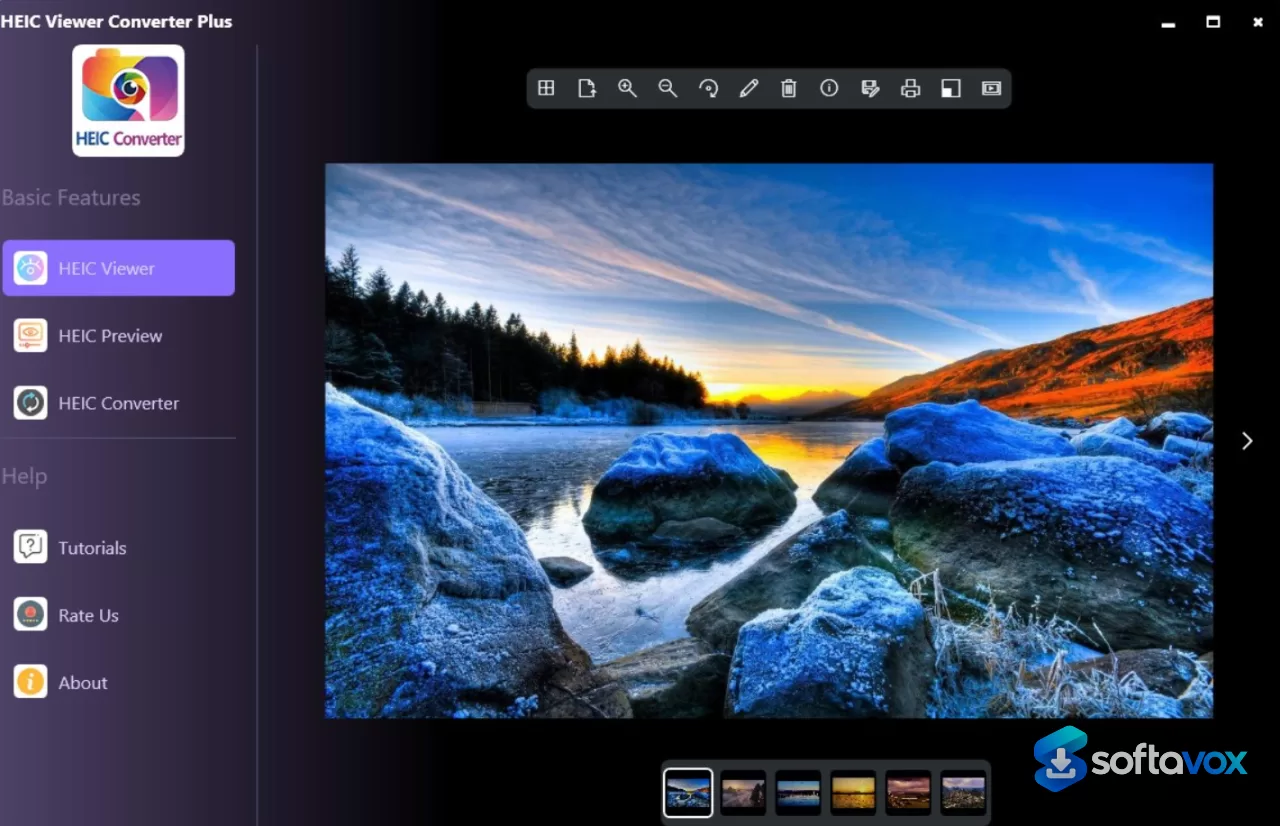
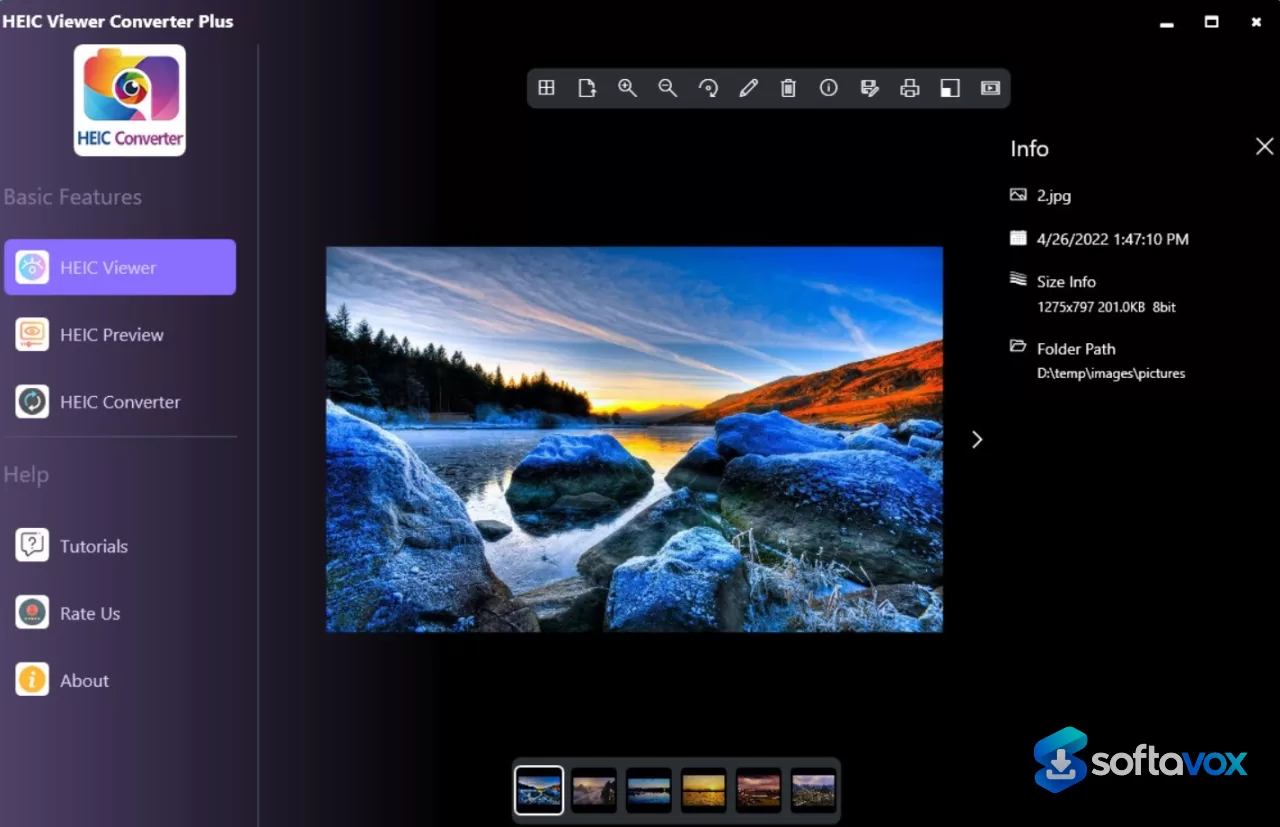
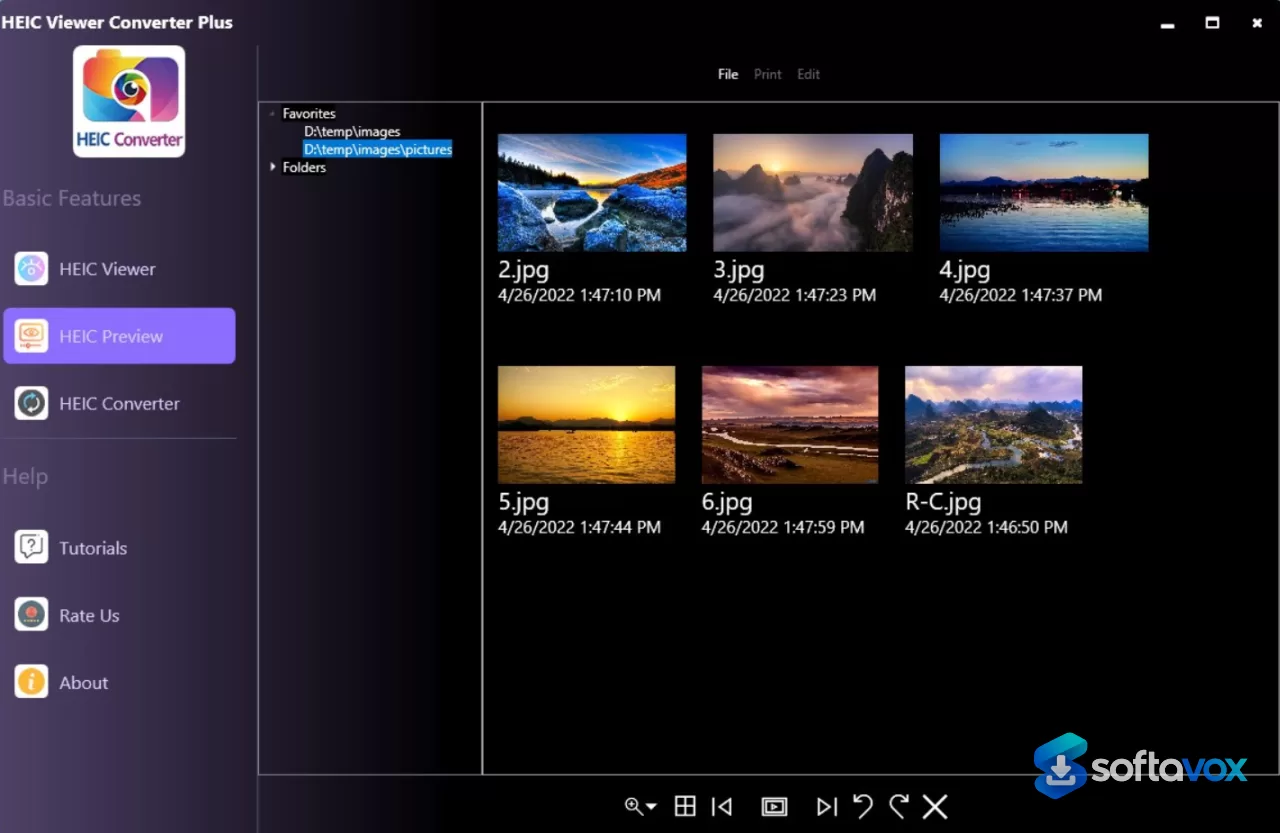
The core function of HEIC Viewer Converter Plus is straightforward: it opens HEIC files that Windows cannot display out of the box and lets you view them without installing Apple’s official codecs. The interface is basic but functional. You can drag and drop an image into the viewer, rotate it, resize it, zoom, print it, and run a slideshow. The app also supports several other formats beyond HEIC, including PNG, JPEG, TIFF, BMP, PSD, and SVG, which makes it a reasonably flexible lightweight viewer.
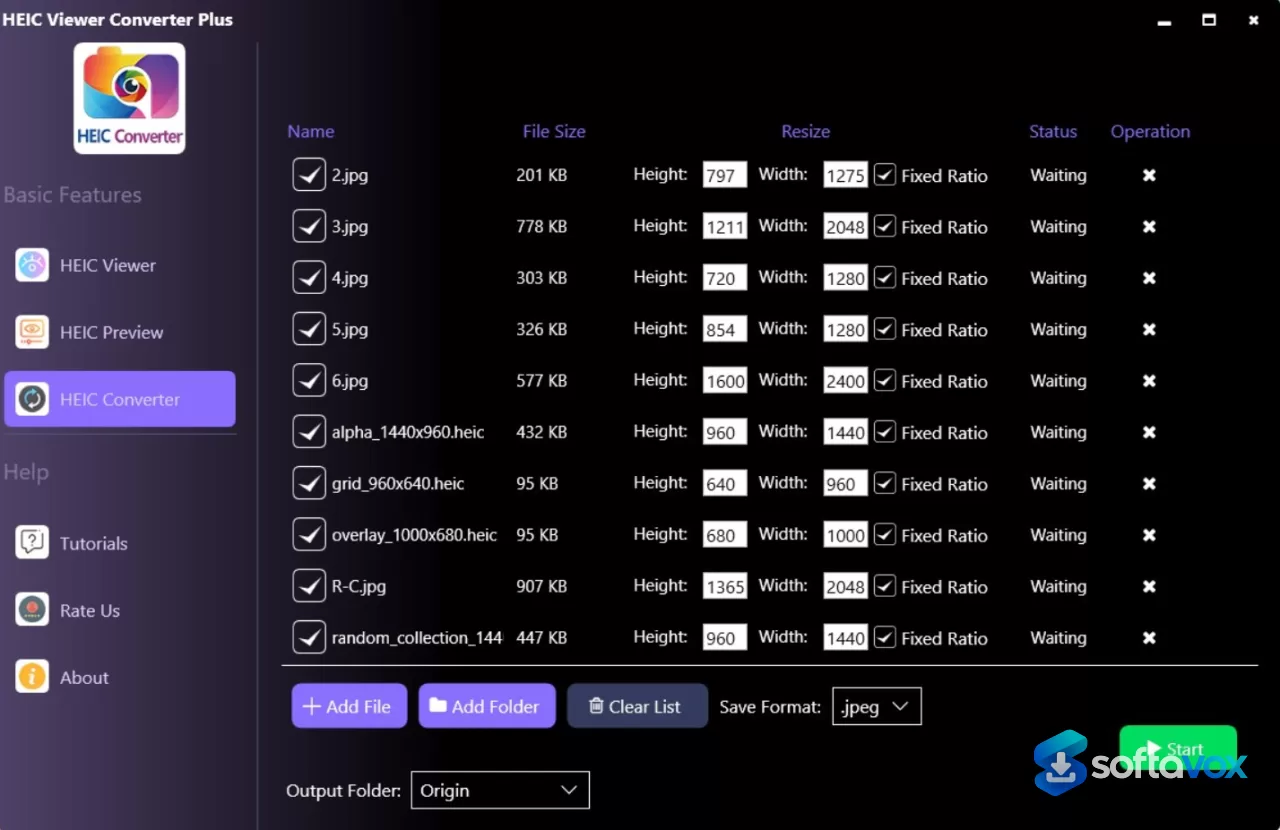
Conversion is where the app’s limits become clear. You can convert a single HEIC image to JPG or PNG, and you can adjust JPG quality settings. But batch conversion requires the paid Pro upgrade, which is priced at just under a dollar. That is a low barrier, but it is still a paywall that is not obvious until you try to process more than one file at a time. The app also includes basic editing tools, adding text and shapes, but these are rudimentary and should not be confused with a real image editor.
- HEIC viewing without codecs: opens iPhone HEIC photos on Windows without Apple’s HEVC extensions.
- Single-file conversion: converts HEIC to JPG or PNG with adjustable JPG quality.
- Basic image adjustments: rotate, resize, zoom, and print from a simple toolbar.
- Slideshow mode: steps through a folder of images for quick previewing.
- Broad format support: handles HEIC, PNG, JPEG, TIFF, BMP, PSD, and SVG in the viewer.
Pros, Cons & Community/User Feedback
Community feedback on this specific app is extremely thin. The Microsoft Store listing shows zero user ratings, and most third-party download sites carry no verified reviews at all. That silence is itself a warning sign: a utility with no feedback history offers no track record for stability, updates, or customer support. The little sentiment that exists is mixed. Some users note that the viewer works as intended for basic HEIC playback, while others express frustration that conversion, the feature they actually need, requires payment. There is also potential confusion in the marketplace, because several similarly named apps (HEIC Converter Plus, HEIC Image Viewer, HEIC Viewer PLUS) appear in search results with different developers, prices, and feature sets.
Pros
- Free to download and install from the Microsoft Store.
- Very small footprint (~5 MB), so it will not strain older PCs.
- Simple viewer handles HEIC files without requiring Apple’s codec pack.
- Single-image conversion to JPG or PNG is included at no cost.
- Supports a wider range of formats than just HEIC, including PNG, JPEG, TIFF, and BMP.
Cons
- Batch conversion is locked behind a paid upgrade (~$0.99).
- No user ratings and virtually no independent reviews, making reliability impossible to verify.
- Developer identity is not clearly disclosed on the Store listing, which complicates support and accountability.
- The name overlaps with several unrelated HEIC utilities, creating a real risk of downloading the wrong app.
- Basic editing tools are limited and not a substitute for proper image-editing software.
Final Verdict & Safe Download Advice
HEIC Viewer Converter Plus is a minimal, low-cost utility for a narrow job: opening HEIC files on Windows and converting them one at a time. The free viewer works, and the paid batch upgrade is cheap enough that the total cost remains low. But the absence of user reviews, the unclear developer information, and the crowded market of similarly named apps mean you should proceed carefully. If you need a dependable, well-documented HEIC converter for regular use, this app is not the strongest choice. If you just want a quick viewer and do not mind paying a dollar for batch conversion, it can get the job done, provided you download the correct listing.
The safest source for the download is the official Microsoft Store page, which provides a verified installer directly from the publisher and avoids the risk of bundled bloatware found on third-party download sites. Before installing, confirm that the publisher name matches the listing you intend to download, because the HEIC utility category is full of near-identical names. Verify the file size is roughly 5 MB, a dramatically larger installer is a red flag. Run the installer through your usual security scan, and check the Store listing’s “What’s new” section to confirm the app is still being maintained.
- Download only from: the official Microsoft Store listing for HEIC Viewer Converter Plus.
- Verify the publisher: confirm the developer name matches the listing, because similarly named HEIC apps are common.
- Check the file size: expect approximately 5 MB; a much larger installer suggests a different or bundled package.
- Avoid third-party download sites: they may supply outdated builds or bundle unwanted software.
- Expect limited support: with no user reviews and an unclear developer presence, assume you are installing this app at your own risk.
- Consider alternatives for heavy use: if you convert HEIC files regularly, a better-documented tool with an active user base is the safer long-term choice.
Similar software




Key features
- HEIC Viewer Converter Plus download review: a tiny Windows utility for opening iPhone HEIC photos without Apple codecs.
- Free HEIC viewer: lets users preview HEIC files on Windows 10/11 at no cost.
- Lightweight app size: roughly 5 MB, making it suitable for older or low-storage PCs.
- Single-file HEIC conversion: converts one HEIC image to JPG or PNG with adjustable JPG quality.
- Batch conversion paywall: bulk conversion is locked behind a paid Pro upgrade of about $0.99.
- Basic viewer controls: rotate, resize, zoom, print, and slideshow images from a simple toolbar.
- Broad format support: opens HEIC, PNG, JPEG, TIFF, BMP, PSD, and SVG files.
- Rudimentary editing tools: text and shape overlays exist, but it is not a real image editor.
- No user ratings on Microsoft Store: zero ratings and almost no independent reviews make reliability hard to verify.
- Unclear developer identity: the Store listing does not clearly disclose the publisher, raising accountability concerns.
- Crowded app-name market: similar HEIC viewer/converter names create a real risk of downloading the wrong app.
- Safe download advice: use only the official Microsoft Store listing and verify the publisher and ~5 MB file size.
- SEO takeaway: position it as a free lightweight HEIC viewer with a cheap batch-conversion paywall, not a fully free or well-reviewed converter.
Frequently asked questions about HEIC Image Viewer, Converter
Is HEIC Viewer Converter Plus free?
What do I get with the paid upgrade?
Can it convert HEIC to JPG or PNG?
Does HEIC Viewer Converter Plus support batch conversion?
Do I need Apple’s HEVC codecs to view HEIC files?
Is HEIC Viewer Converter Plus safe to download?
What file size should the installer be?
Does it work on Windows 10 and Windows 11?
Does HEIC Viewer Converter Plus have good user reviews?
Is it a good choice for regular HEIC conversion?
Why are there so many similarly named HEIC apps?
Versions
| Version | Release date | Platform | File size | |
|---|---|---|---|---|
| HEIC Image Viewer, Converter 3.4.0.0 Latest version | Nov 1, 2026 | Windows | 794 KB | Download |
Comments about HEIC Image Viewer, Converter
No comments yet. Share your experience with this program!